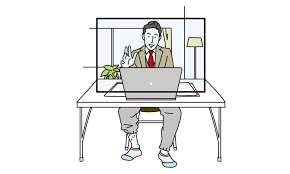
Remote work etiquette involves best practices for professional behavior and communication in a virtual work environment. It ensures smooth collaboration, mutual respect, and continued productivity for remote teams. Understanding these guidelines is crucial for success.
What is Remote Work Etiquette?
Remote work etiquette is all about how we behave when we work from home or any place outside a traditional office. It covers everything from how you talk on video calls to how you write emails. It’s the set of polite and respectful ways to interact with coworkers and managers online.
Think of it as office manners for the digital age. It helps everyone feel respected and understood, even when miles apart. It’s not just about being nice; it’s about being effective and building trust.
Why does this matter so much? When you work remotely, you lose some of the natural cues you get in person. You can’t see body language easily.
You might not hear a sigh or notice someone looking busy. Etiquette bridges this gap. It provides a framework so everyone knows what to expect.
This reduces misunderstandings and frustration. It also helps build a strong team culture, even when people aren’t sharing the same physical space. Good etiquette shows you value your colleagues’ time and effort.
It also impacts how others see your professionalism. If you’re always late to virtual meetings or have a messy background, it can affect your reputation. Conversely, being prepared, communicative, and respectful online can boost your standing.
It shows you’re taking your remote role seriously. This is important for career growth and team cohesion. In essence, it’s the social glue for distributed teams.
It helps everyone feel connected and part of something bigger.
This is not just a set of arbitrary rules. It’s born out of experience. People who have worked remotely for a while have figured out what works and what doesn’t.
They’ve learned that clear communication is vital. They know that respecting time zones is important. They understand that being present and engaged matters.
These lessons have shaped the guidelines we follow today. So, it’s a practical set of standards. It aims to make remote work as productive and pleasant as possible for everyone involved.
My First Remote Job: A Comedy of Errors
I remember my very first foray into full-time remote work. It was exciting. No more sitting in traffic!
Just me, my laptop, and my very eager dog, who seemed to think every video call was a personal invitation to join the meeting. I was working for a startup, and everyone was still figuring things out. My manager, bless her heart, sent a quick email: “Let’s be mindful of our virtual presence.” I nodded, thinking, “What’s so hard about that?”
The first week was… chaotic. I’d forget to mute myself when my dog decided to bark at a squirrel. My internet connection seemed to have a mind of its own, cutting out at the most crucial moments of team discussions.
I’d join meetings a minute or two late, flustered, trying to catch up. One time, I was so engrossed in a task that I completely missed a quick Slack message from my team lead asking if I was free for a five-minute chat. I found out later they needed an urgent piece of info.
My workspace wasn’t exactly a pristine office. It was a corner of my living room, piled with laundry on a good day. I’d often join calls with a blurry, slightly distracting background.
I also tended to interrupt people, forgetting that there’s a slight delay in virtual conversations. I thought I was being engaged, but I was actually being disruptive. I was so focused on proving I could do the work that I forgot about the “how.” It felt like I was constantly playing catch-up, not just with tasks but with basic communication norms.
One afternoon, during a team video call, I was mid-sentence when my cat walked across my keyboard, sending a string of gibberish into the chat. Everyone paused. My manager just smiled kindly and said, “Looks like we have a feline assistant today!” It was a moment of mild embarrassment, but it was also a wake-up call.
I realized that while remote work offers flexibility, it demands a different kind of discipline and awareness. I started paying more attention. I learned to prepare my “set” before calls.
I practiced active listening. I discovered the magic of the mute button. Slowly, I began to understand that remote work etiquette wasn’t just about rules; it was about respect for everyone else on the team.
The Core Pillars of Remote Etiquette
Clear Communication: Be direct and concise in emails, chats, and calls. State your purpose upfront.
Punctuality: Join meetings on time or a few minutes early. If you’re late, join quietly and catch up later.
Respect for Time: Be mindful of others’ schedules and time zones. Avoid unnecessary meetings or long messages during their off-hours.
Professional Presence: Maintain a tidy background on video calls. Dress appropriately for important meetings.
Active Listening: Give others your full attention. Avoid multitasking during conversations.
Mastering Virtual Meetings
Virtual meetings are the backbone of remote work. They keep us connected and moving forward. But they can also be a source of frustration if not handled well.
Good etiquette here makes a huge difference. It ensures that everyone’s time is valued and that discussions are productive.
First, let’s talk about being on time. This seems simple, right? But in the remote world, joining a few minutes late can mean missing crucial introductions or the start of a key discussion.
Aim to join your virtual meetings 2-3 minutes early. This gives you time to sort out any technical glitches. It also shows you’re ready and eager to start.
If you are unavoidably late, join the call silently. Send a quick chat message to the host to let them know you’re there but don’t have audio/video on yet, or explain your lateness briefly after the meeting.
Your audio and video are your primary ways to interact. Always test your microphone and camera before a meeting. Make sure your surroundings are quiet.
Use a headset if possible. This reduces background noise and echoes. It also helps you focus.
Regarding video, it’s generally best to have it on. Seeing faces builds connection. However, if your internet is unstable or you’re in a noisy environment, it’s okay to turn it off.
Just communicate why if needed. Also, be aware of your background. A clean, tidy space looks professional.
Avoid busy patterns or anything distracting.
Muting is your best friend when you’re not speaking. Background noise can be incredibly disruptive. Even a slight cough or a dog bark can pull everyone’s attention away from the speaker.
Get into the habit of muting yourself as soon as you join a call. Then, unmute only when you intend to speak. This is a fundamental part of virtual meeting etiquette.
It shows you respect the speaker and the other attendees.
When you do speak, be clear and concise. Remote conversations can be harder to follow than in-person ones. Avoid interrupting others.
Wait for a pause before you jump in. If you’re in a large meeting, use the “raise hand” feature if available. This signals you want to speak without talking over someone.
Also, be mindful of your tone. Since people can’t see your full body language, your voice carries more weight. Try to sound engaged and positive.
Avoid speaking too quickly or too softly.
Agendas and meeting summaries are also important. A good meeting has a clear purpose and agenda. Share it beforehand so attendees can prepare.
After the meeting, send out a summary of decisions made and action items. Who is doing what by when? This ensures everyone is on the same page.
It turns a discussion into concrete progress. It also helps those who couldn’t attend catch up easily.
Video Call Quick Checklist
- Test Tech: Mic, camera, internet connection.
- Find Quiet: Minimize background noise.
- Clean Background: Tidy up your visible space.
- Mute Button: Use it often when not speaking.
- Be Present: Avoid multitasking.
- Speak Clearly: Be concise and respectful.
- Raise Hand: Use features to manage speaking order.
Effective Online Communication
Beyond meetings, how we communicate daily through chat, email, and other tools is crucial for remote work etiquette. Clear and thoughtful communication builds trust and keeps projects moving. It prevents misunderstandings that can arise when you don’t have face-to-face interactions.
Email is still a primary tool for many. When writing an email, be clear about your subject line. It should tell the recipient what the email is about at a glance.
For example, instead of “Question,” try “Question about Q3 Report Deadline.” Get straight to the point in the body of the email. Use short paragraphs and bullet points to make it easy to read. Proofread for typos and grammatical errors.
A sloppy email can undermine your professionalism. Always consider the tone. What might seem neutral to you could be interpreted differently by someone else.
Instant messaging platforms like Slack or Microsoft Teams are great for quick questions and updates. However, they can also be a source of constant distraction if not used mindfully. Respect people’s focus time.
Avoid sending non-urgent messages during their known busy periods. Use clear and concise language. If a conversation is getting long or complex, suggest a quick call instead.
It’s often more efficient than a back-and-forth chat. Also, be aware of your status. If you’re in a deep work session, set your status to “Busy” or “Focusing.”
When you receive a message or email, acknowledge it. Even a quick “Got it, thanks!” shows you’ve seen it. If you need more time to respond, say so.
“I’ll get back to you on this by tomorrow afternoon” is much better than silence. This manages expectations. It tells the sender you haven’t forgotten about their request.
Consider the urgency of your message. For urgent matters, a phone call or direct message might be better than email. For less urgent things, email is fine.
If you’re unsure, think about how you would want to receive the information. Would you want a quick chat, or would an email suffice?
Don’t forget about the power of positive communication. Remote work can sometimes feel isolating. A little bit of friendliness goes a long way.
Acknowledge colleagues’ contributions. Offer help when you can. Celebrate team successes.
This builds a positive and supportive remote environment. It’s about more than just getting work done; it’s about building relationships too. Building these connections makes everyone feel more connected and valued.
Email Etiquette Snapshot
Subject Line: Clear and descriptive.
Greeting: Polite and appropriate for your relationship.
Body: Get to the point. Use short paragraphs. Use bullet points for lists.
Tone: Professional and respectful.
Proofread: Check for errors before sending.
Closing: Professional sign-off.
Respecting Time Zones and Schedules
One of the most common pitfalls in remote work is forgetting about time zones. What might be a normal workday for you could be the middle of the night for a colleague. This is where remote work etiquette truly shines.
Being mindful of time zones shows respect for your colleagues’ lives outside of work.
Before you send that email or ping someone on chat, take a moment to consider their time zone. Most communication tools show a person’s local time. Use this information.
If it’s outside their typical working hours, hold off on sending unless it’s urgent. If it is urgent, clearly state that in your message. For example, “Urgent: Need this by 8 AM your time tomorrow.”
When scheduling meetings, this is even more critical. Use scheduling tools that show availability across different time zones. Try to find a time that works reasonably well for everyone.
If a perfect time isn’t possible, rotate the inconvenience. So, one meeting might be early for some, the next might be late for others. Avoid consistently scheduling meetings at inconvenient times for the same individuals or groups.
Be explicit about deadlines. If you say “by end of day,” specify which time zone you mean. “By EOD PST” is much clearer than just “by EOD.” This prevents confusion and missed deadlines.
It ensures everyone understands the expectations.
Communicate your own working hours and availability clearly. If you have set office hours, let your team know. If you plan to be offline for a period, set your status accordingly.
This helps others know when they can expect a response from you. It also prevents them from worrying if you’ve gone quiet.
Remember that “remote” doesn’t mean “always available.” People have lives, families, and personal commitments. Respecting their personal time is a cornerstone of good remote work etiquette. It fosters a healthy work-life balance for everyone.
This, in turn, leads to more engaged and productive employees. It’s a win-win scenario.
Some companies have “core hours” when everyone is expected to be online and available. Other companies are more flexible. Understand your company’s expectations.
If you’re in a globally distributed team, embracing asynchronous communication is key. This means tasks and communication don’t always require an immediate, real-time response.
Time Zone Awareness: Key Points
Check Local Times: Before contacting someone, see their local time.
Schedule Smart: Find meeting times that work for most.
Rotate Inconvenience: Don’t always make the same people join early/late.
Clarify Deadlines: Specify the time zone for any deadlines.
Communicate Availability: Let others know your working hours.
Embrace Asynchronous: Use tools that don’t require immediate responses.
Maintaining Professionalism in Your Home Office
Your home is now your office. How you present yourself and your workspace matters in remote work etiquette. It affects how your colleagues and managers perceive you.
It also impacts your own mindset and productivity.
Dress code is a common question. While you might not need a full suit and tie, it’s generally a good idea to be dressed professionally for video calls, especially important ones. This doesn’t mean formal wear, but rather neat, clean clothes.
Avoid distracting patterns or logos. Think about what you’d wear to a client meeting in person. The idea is to look put-together and serious about your work.
This can also help you get into a work mindset. It signals to yourself that it’s time to focus.
Your workspace itself is important. Even if you don’t have a dedicated home office, try to create a specific area for work. Keep it as tidy and organized as possible.
Clutter can be distracting and unprofessional, especially on video calls. Ensure good lighting. Natural light is best.
If you use artificial light, make sure it’s not casting harsh shadows. Position your camera at eye level. This is more flattering and looks more natural than looking up or down at someone.
Background noise is another big factor. While you can’t always control everything, try to minimize disruptions. Let your family or housemates know your work schedule.
Use noise-canceling headphones if needed. If you have pets, be prepared for them to make an appearance or noise occasionally, but try to manage it as best you can. A sudden loud bark during a quiet moment can be jarring for everyone.
Confidentiality is also part of professionalism. Be mindful of sensitive information. Don’t conduct confidential conversations in public places or where others can overhear them.
Ensure your computer screen isn’t visible to others if you’re discussing private company matters. Secure your Wi-Fi network to prevent unauthorized access.
Finally, your attitude and energy matter. Even though you’re remote, you’re still part of a team. Bring a positive attitude to your interactions.
Be approachable and willing to help. Show enthusiasm for your work and your colleagues. This contributes to a healthy remote work culture.
It helps build stronger bonds with your team members. It makes remote work more enjoyable for everyone.
Creating Your Professional Home Workspace
Dedicated Area: Try to have a specific spot for work.
Tidy & Organized: Keep your workspace neat and free of clutter.
Good Lighting: Use natural light or soft artificial light.
Camera Angle: Position your camera at eye level.
Minimize Noise: Reduce distractions from your surroundings.
Professional Dress: Dress suitably for video calls.
Confidentiality: Protect sensitive information.
Navigating Social Cues and Team Culture
Building and maintaining team culture can be tough when everyone is remote. Remote work etiquette plays a vital role in fostering a positive and connected team environment. It’s about more than just tasks; it’s about people.
One aspect is informal communication. In an office, you might chat by the coffee machine or in the hallway. Replicating this online requires intention.
Many teams create “virtual water cooler” channels in their chat platforms. These are for non-work related chat, sharing hobbies, or just general friendly conversation. Participating in these can help you feel more connected to your colleagues.
It helps build rapport and understanding.
When you interact with colleagues, try to be empathetic. Remember that everyone has different circumstances. Someone might be juggling childcare, dealing with internet issues, or facing personal challenges.
A little understanding and flexibility can go a long way. If you notice a colleague seems withdrawn or quiet, a simple, “Hey, how are you doing?” can make a difference.
Giving and receiving feedback is also important. In a remote setting, feedback needs to be delivered thoughtfully. When giving feedback, be specific and focus on behavior, not personality.
Frame it constructively. For example, instead of “You’re not communicating well,” try “I’ve noticed that updates on Project X have been a bit sporadic. Could we establish a more regular check-in process?” When receiving feedback, listen openly.
Ask clarifying questions. Don’t get defensive. It’s an opportunity to grow.
Celebrating successes, big or small, is also part of team culture. Acknowledge achievements in team meetings or dedicated channels. A virtual “thank you” or a shout-out can boost morale.
It shows that your contributions are seen and valued. This is especially important when you don’t have the spontaneous praise you might get in an office.
Be mindful of your online presence. Your posts, comments, and even your avatar can contribute to your professional image. Keep your online interactions positive and respectful.
Avoid workplace gossip or negativity. If you disagree with someone, do it respectfully. Focus on finding solutions together.
Finally, be proactive in building relationships. Don’t wait for others to reach out. If you see a colleague has a common interest, start a conversation.
If you need help, ask for it. Building these connections takes effort, but it’s essential for a strong, cohesive remote team. It makes work more enjoyable and productive for everyone involved.
Building Remote Team Connection
Virtual Water Coolers: Use non-work channels for casual chat.
Empathy First: Understand colleagues’ situations.
Constructive Feedback: Deliver and receive feedback thoughtfully.
Celebrate Wins: Acknowledge team and individual successes.
Positive Online Presence: Be respectful and professional in all interactions.
Proactive Relationships: Reach out and connect with colleagues.
When is Remote Work Etiquette Most Important?
While remote work etiquette is always important, there are certain situations where it becomes even more critical. These are the moments when your actions can have a significant impact on others, your reputation, or the success of a project.
High-Stakes Meetings: When you have important client presentations, executive reviews, or strategic planning sessions, every aspect of your etiquette matters. Professional dress, a quiet environment, and clear communication are non-negotiable. A small slip-up can be more noticeable and have bigger consequences.
Onboarding New Team Members: When someone new joins, your team’s etiquette sets the tone for their entire remote experience. Being welcoming, patient, and communicative helps them feel integrated and supported. They are watching how everyone interacts.
Your actions as an established team member teach them the ropes.
Cross-Departmental Collaboration: Working with people outside your immediate team can sometimes lead to communication challenges. Strong etiquette ensures that your interactions are smooth and productive. It helps build bridges and fosters a sense of shared purpose across different groups.
When Managing or Leading: If you are in a leadership position, your etiquette is a model for your team. Employees look to their leaders for cues on how to behave. Demonstrating excellent remote etiquette builds trust and inspires your team to follow suit.
During Performance Reviews or Feedback Sessions: These conversations require extra care. Being prepared, listening actively, and responding respectfully are paramount. The digital format can make these discussions feel more formal, so clear communication is key.
When Working with International Teams: As we’ve discussed, time zones and cultural differences are significant. Adhering to strict etiquette around scheduling, communication clarity, and respect for local customs is vital for successful global collaboration.
Basically, anytime your interaction directly influences another person’s work, mood, or understanding, good etiquette is essential. It’s about being a reliable, respectful, and effective team member in every situation.
Situations Demanding Extra Etiquette
Client Meetings: First impressions matter greatly.
Team Lead/Manager Role: Your actions set the standard.
Onboarding New Hires: Help them feel welcome and supported.
Cross-Team Projects: Foster smooth collaboration.
Feedback Discussions: Be open, clear, and respectful.
International Collaboration: Navigate cultural and time zone differences.
Common Remote Work Etiquette Mistakes to Avoid
Even with the best intentions, it’s easy to slip up. Knowing the common blunders can help you steer clear of them. Avoiding these mistakes keeps your professional image intact and makes collaboration smoother for everyone.
1. The “Always On” Trap: Responding to messages instantly at all hours. This sets an unsustainable precedent and erodes work-life balance.
It’s okay to disconnect.
2. Multitasking During Calls: Checking emails or browsing the web while someone is speaking. This is disrespectful and you’ll miss key information.
3. Neglecting Your Background: Having a messy or distracting background during video calls. It can look unprofessional and take away from the meeting’s focus.
4. Over-Reliance on Chat for Complex Issues: Trying to solve a difficult problem through a long chain of chat messages. A quick call is often more efficient.
5. Ignoring Time Zone Differences: Scheduling meetings or sending urgent requests at inconvenient times for colleagues.
6. Unprofessional Communication Tone: Using all caps, excessive exclamation points, or being overly casual in professional communications.
7. Not Muting Yourself: Letting background noise or side conversations disrupt meetings. This is one of the most common and annoying mistakes.
8. Missing Deadlines Without Notice: Failing to communicate if you’re going to miss a deadline. Proactive communication is key.
9. Lack of Responsiveness: Not acknowledging messages or emails, leaving colleagues wondering if you’ve received them.
10. Treating Remote Work Like a Hobby: Not dedicating a specific workspace or time, leading to distractions and lower productivity.
Being aware of these common missteps is the first step to avoiding them. It’s about continuous learning and adapting to the remote work landscape. Small adjustments can make a big difference in how you and your team function.
Quick Fixes for Common Mistakes
Set Boundaries: Define your work hours and stick to them.
Be Present: Focus fully on the meeting or conversation.
Control Your Space: Manage your background and noise.
Choose the Right Tool: Use calls for complex discussions.
Respect Time Zones: Always check before scheduling or sending urgent messages.
Frequently Asked Questions about Remote Work Etiquette
Do I need to dress up for remote work?
It depends on your company culture and the specific meeting. For important client calls or team meetings, dressing professionally (neat, clean clothes) is recommended. For internal team chats, it might be more casual.
Aim for something that makes you feel professional and ready to work.
How should I handle unexpected background noise during a call?
The best immediate action is to mute yourself as soon as possible. If the noise is significant and ongoing, briefly apologize and explain the situation. For example, “Apologies, my dog is barking at the mail carrier.
I’ll mute myself.” Then, take steps to minimize it. This shows awareness.
Is it okay to eat during a virtual meeting?
Generally, it’s best to avoid eating during virtual meetings, especially if it’s a formal one. Eating can be distracting and noisy. If you must eat due to a medical condition or schedule conflict, do it discreetly, preferably with your camera and microphone off.
It’s better to schedule a break if you need a meal.
What if I don’t know someone’s time zone when sending a message?
Most communication platforms show a person’s local time or their time zone. If you can’t find it, you can either make an educated guess based on their location or send a polite, general message like, “Hi , I have a quick question for you. Please let me know when is a good time to reach you.”
How can I appear engaged when I’m on a video call?
Nodding occasionally, maintaining eye contact with the camera (not just the screen), and avoiding multitasking are key. Ask relevant questions. Offer concise, thoughtful contributions.
Use non-verbal cues like smiling when appropriate. Your active participation shows you’re listening and engaged.
What’s the best way to handle urgent requests late in the day?
If you have an urgent request for someone late in their workday, state its urgency clearly. For example, “URGENT: . I understand this is late in your day, but I would greatly appreciate it if you could by 9 AM your time tomorrow.
Please let me know if this is feasible.” This acknowledges the inconvenience and gives them a clear timeframe.
Conclusion
Mastering remote work etiquette is an ongoing journey. It’s about more than just following rules. It’s about building respect, fostering trust, and ensuring smooth collaboration.
By being mindful of your communication, your presence, and your colleagues’ time, you contribute to a positive and productive remote work environment. These practices help you succeed individually and strengthen your team as a whole. Keep practicing these skills, and you’ll navigate the remote world with confidence and professionalism.